
Table of Contents
- What You'll Need Before You Start
- Smart Lock Installation Requirements for Modern Doors
- Retrofitting Smart Locks on Timber Doors
- PAS 24 Security Standards for Doors and Smart Hardware
- Connecting Smart Door Hardware to Your Home Ecosystem
- Cybersecurity and Maintenance for Smart Home Doors
- Common Mistakes to Avoid
- Conclusion
- Frequently Asked Questions
Last Updated: September 19, 2026
What You'll Need Before You Start
Learning how to integrate smart home features in modern doors starts with one honest question: is your door ready for the hardware you want to fit? At Arborfield Joinery, we've supplied enough renovation projects to know the answer is often "almost, but not quite."
- A tape measure and a spirit level
- A chisel and a 25mm flat wood bit
- A drill with a 54mm hole saw (for new lock bores)
- A multimeter, if you're checking existing wiring
- Your door's thickness, in millimetres
- The backset measurement, from door edge to handle centre
Smart Lock Installation Requirements for Modern Doors
Smart lock installation requirements come down to four things: power, door thickness, latch alignment and protocol compatibility. Get those right and the rest is straightforward. Most smart locks suit doors between 35mm and 55mm thick, so check yours before ordering, slim-profile doors narrow your options fast.
Power and Wiring Essentials
Power is where most people trip up. Smart locks fall into three camps:
- Battery-powered: No wiring. Uses AA, AAA or CR123A cells. Best for retrofit jobs. Expect six to twelve months per set, less in a busy household.
- Hardwired low voltage: Runs on a 12V or 24V DC supply, typically stepped down from mains via a DIN-rail transformer or a plug-in adaptor. Needs a cable run to the door.
- Power-over-Ethernet (PoE): A single Cat6 cable carries both data and power to the door, usually to a door controller or intercom. Best suited to new builds and commercial entrances where a structured cabling run already exists.
Door Preparation and Tool Checklist
Before you cut anything, confirm these four measurements:
| Check | What to Measure | Why It Matters |
|---|---|---|
| Door thickness | Edge to edge, in mm | Determines lock compatibility |
| Backset | Door edge to handle centre | Must match the lock's latch |
| Cross bore | Existing handle hole size | Avoids re-drilling |
| Frame gap | Door to frame clearance | Affects latch throw |
If your door is solid timber and at least 44mm thick, you have the widest choice of hardware.
Protocol Compatibility: Matter and Thread
This is the part most guides skip, and your single biggest decision. Two standards dominate:
- Matter is the interoperability standard developed through the Connectivity Standards Alliance. It lets devices from different manufacturers work in one app and one ecosystem, rather than locking you to a single brand.
- Thread is a low-power, mesh networking protocol built for battery devices. Each mains-powered Thread device strengthens the mesh, so a door lock at the far end of a house stays reachable.
What to Check Before You Order
- Confirm the lock's stated door thickness range covers yours.
- Confirm the backset matches your existing bore, or budget for re-drilling.
- Confirm whether the model is Matter-certified, and over which transport (Thread, Wi-Fi or both).
- Confirm the fail-safe behaviour: does it fail locked or fail unlocked on power loss?
- Confirm the IP rating if the exterior half is exposed to driving rain, look for IP55 or better on external keypads.
- Confirm a mechanical key override exists, and that it is accessible from outside.
Retrofitting Smart Locks on Timber Doors
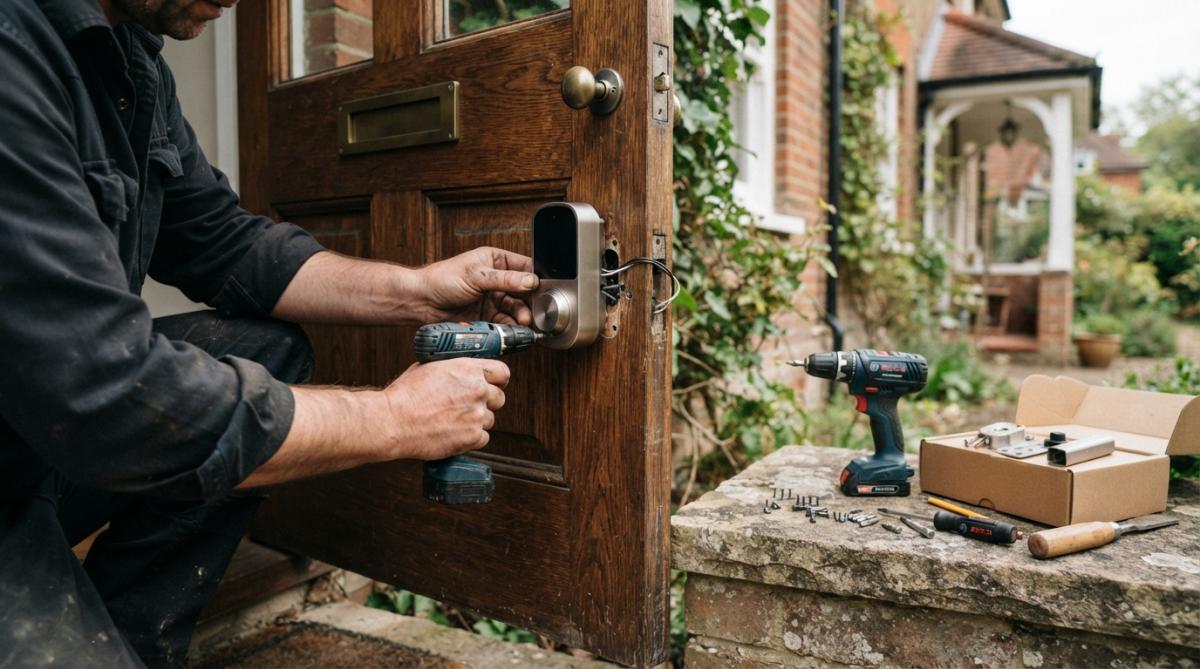
Retrofitting smart locks on timber doors is easier than most guides admit, provided the door is solid and the frame true. Hollow or composite doors need a different approach.
Step-by-Step Retrofit Process
- Remove the old lock and handle. Keep the screws in a pot.
- Check the existing bore. Most timber doors already have a 54mm cross bore.
- Test-fit the new latch. It should slide in without force.
- Mark and chisel the faceplate recess. Work slowly, a millimetre at a time.
- Fit the exterior keypad. Feed the cable through the bore if your model needs it.
- Mount the interior unit. Align it with the exterior half before tightening.
- Pair the lock with your hub. Follow the app instructions exactly.
- Test the fail-safe mechanism. Check it unlocks when power or battery fails.
PAS 24 Security Standards for Doors and Smart Hardware
PAS 24 security standards for doors set the benchmark for enhanced security performance on external doors in the UK. A door that meets PAS 24 has passed tests for physical attack, manipulation and weather resistance.
Connecting Smart Door Hardware to Your Home Ecosystem
Wireless connectivity decides how well your door talks to the rest of your home. Two protocols matter most right now: Matter and Thread.
What this unlocks in practice:
- Voice command through Alexa, Google Home or Siri
- Automated routines that lock the door at 11pm
- Geofencing that unlocks when you arrive
- Smart lighting triggers that switch on the hall light as you enter
- Real-time notifications when the door opens
- Doorbell camera integration with live video on your phone
Cybersecurity and Maintenance for Smart Home Doors
Cybersecurity is the part of smart door ownership almost nobody talks about. Every connected lock is a small computer on your network and needs the same care. This section also covers what happens when something fails.
Cybersecurity Basics
Start with these:
- Change the default password on day one
- Turn on two-factor authentication in the app
- Keep firmware updated, most apps push updates automatically
- Use WPA3 encryption on your home Wi-Fi, with WPA2 as the minimum fallback
- Set up a guest access code rather than sharing your main one
- Disable remote access if you do not need it, fewer open doors, fewer risks
User authentication matters too. A digital key should be revocable, so you can remove a contractor's or cleaner's access the moment the job ends. Prefer locks with time-limited or single-use codes over permanent shared credentials.
When the Internet Goes Down
This is the scenario most guides ignore, and the one that matters most.
- Local control: Matter and Thread devices communicate over your local network, so many functions keep working even without broadband. A Matter lock paired to a local hub can still be controlled from inside the home.
- Cloud dependency: Some locks rely on the manufacturer's cloud for remote access and app control. Without internet, remote unlocking and notifications stop, but local keypad and key entry usually continue.
- Plan for it: Keep a mechanical key accessible from outside, and confirm the lock's fail-safe behaviour, does it fail locked or fail unlocked on power loss?
When the Battery Dies
Battery failure is the most common fault, and almost always preventable.
- Most locks give weeks of low-battery warnings in the app and an audible chirp at the keypad. Do not ignore them.
- Many models offer a temporary power option, a 9V battery terminal or a USB-C emergency port, so you can power the lock from outside to enter.
- Keep a spare set of the correct cells at home. CR123A and AA are the most common.
- In cold weather, battery performance drops. Expect shorter life on an external lock through winter.
Maintenance Routine
- Check batteries every six months, or when the app warns you
- Wipe the keypad with a dry cloth, never a wet one
- Oil the latch mechanism twice a year with a light machine oil, not WD-40
- Test the manual override every few months
- Clean the exterior keypad of grit and salt in winter
- Check the door still closes without dragging, seasonal movement can misalign the latch
Troubleshooting Checklist
If the lock stops responding, work through this order:
- Check the battery first. It solves most problems.
- Check the hub or border router. If it is offline, local control may still work but remote access will not.
- Check your Wi-Fi or Thread network. A weak mesh signal at the door is a common cause of intermittent failures.
- Restart the lock and the hub. Power-cycle both before assuming a hardware fault.
- Check the app for firmware updates. A stalled update can leave a lock unresponsive.
- Test the mechanical override. If the key works but the electronics do not, the fault is electronic, not mechanical.
- Check the door alignment. A swollen frame or dropped hinge can stop the latch throwing, which the lock reports as a jam.
If none of that resolves it, contact the manufacturer with the model number, firmware version and a description of the fault. Most reputable brands offer a multi-year warranty on the electronic components.
Common Mistakes to Avoid
The biggest mistake is buying the lock before checking the door. Here are the others we see most.
- Ignoring door thickness. A 35mm door will not take most smart locks.
- Skipping the frame check. A twisted frame defeats a good lock.
- Buying a non-Matter lock. You may be locked into one app forever.
- Forgetting the fail-safe. Always confirm manual key access works.
- Skipping weather sealing. External locks need protection from driving rain.
- Over-tightening screws. This cracks timber and voids warranties.
Conclusion
Fitting smart hardware is a weekend project, but only if the door underneath is sound. Thickness, alignment and frame condition decide everything else.
Frequently Asked Questions
Can I add smart features to an existing modern door?
Yes, many modern doors can be retrofitted with smart locks, doorbell cameras, and sensors. The key is checking the door's material and thickness. Timber doors are generally straightforward to adapt, while steel or composite doors may need specific hardware. Always verify that the smart lock is compatible with your door's existing mortice and that it meets PAS 24 standards if security is a priority.
Do smart door locks comply with British security standards like PAS 24?
PAS 24 is a security performance standard for doorsets, not individual locks. To meet it, the entire door assembly, including the lock, frame, and hinges, must pass rigorous tests. Some smart locks are tested as part of a PAS 24 doorset, but many are not. If PAS 24 compliance is required, choose a complete doorset that includes a smart lock, or check with the manufacturer whether the lock has been tested to PAS 24 when fitted to a suitable door.
What power requirements are needed for smart door hardware?
Most smart locks and doorbell cameras run on batteries, typically AA or CR123A, lasting six to twelve months. Some higher-end models can be hardwired to a low voltage power supply, usually 12V or 24V DC, which requires a transformer and cabling to the door. If you are retrofitting, battery-powered devices are simpler. For new builds, plan for a low voltage supply to future-proof your entrance.
How do smart doorbells integrate with modern entrance systems?
Smart doorbells connect to your home Wi-Fi and link with a smart hub or app. They can trigger automated routines, such as turning on smart lighting or sending real-time notifications to your phone. Integration with platforms like Matter or Thread improves compatibility across brands. For a cohesive setup, ensure your doorbell supports the same connectivity protocols as your other smart home devices.
Share:
Oak Door Threshold Strips: The Essential Buying Guide for a Flawless Finish
Oak Stair Handrails: 2026 Quality & Style Guide